BikeLife Society Controls
PC keybind reference for the Roblox dirt bike rideout — verify in settings after updates.
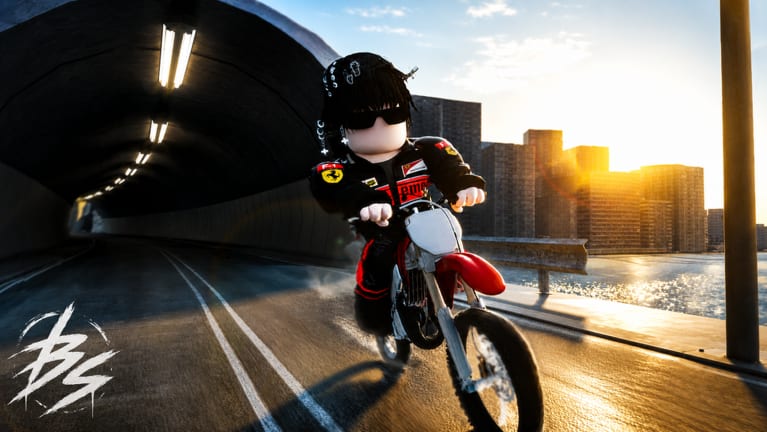
Mastering BikeLife Society on Roblox starts with knowing your inputs. This open-world dirt bike rideout from @3vo0l rewards precise throttle, brake, and stunt timing — especially on PC, where the full keyboard layout is supported. The game is not built for mobile; touch clients miss or remap critical actions.
Controls below match the typical Bike Life genre layout used in BikeLife Society. Bindings can change after revamps or personal rebinding in Roblox settings. Always open the in-game Settings / Controls menu after patches listed on updates and confirm your keys before long cash sessions.
New players should read getting started first, then keep this page open while practicing.
Default PC controls reference
| Action | Default key | Notes |
|---|---|---|
| Accelerate / drive forward | W | Hold for steady throttle; tap for fine balance in wheelies |
| Turn left | A | Light taps at speed; hold drifts in corners |
| Turn right | D | Pair with brake to initiate slides |
| Brake | S | Standard slow-down; use before sharp turns |
| Hard brake | P | Aggressive stop; can upset balance during wheelies |
| Wheelie | Left Ctrl or Left Shift | Either may be bound — test both |
| Shift up / down | E / Q | If manual gearing is enabled on your bike |
| Trick slot 1 | Z | Bike-dependent animation |
| Trick slot 2 | X | Chain after stable wheelie |
| Trick slot 3 | C | Higher crash risk at low stability |
Roblox also supports controller input on some accounts, but competitive stunt chains and ABX code redemption are most reliable on keyboard.
Driving basics before stunts
Spend 10 minutes driving only:
- W acceleration on straightaways
- S braking into A/D turns without sliding
- P hard brake once at low speed to feel bite
Crashing early resets combo cash in how to earn cash. Stability comes before style.
Wheelie inputs in context
Wheelies use Left Ctrl or Left Shift while throttling with W. Feather S or P to prevent looping out. Balance is covered deeply in how to wheelie — this page only documents the keys.
Common mistakes tied to controls:
- Holding P during lift — snaps the front down or flips you
- Ignoring A/D micro-corrections — drift off road into traffic
- Using Z/X/C before balance stabilizes — forced dismount
Drift-related control usage
Drifting combines A/D, S or light P, and throttle lifts. Entry speed matters more than a single key spam. Read how to drift for timing; here, note that hard brake initiates sharper slides but kills wheelie chains if mis-timed.
Trick keys (Z, X, C)
Tricks are not universal animations — they depend on bike model, speed, and sometimes game pass unlocks discussed in bike customization. Tap one trick at a time while learning.
Suggested drill:
- Wheelie stable → tap Z → recover balance → repeat
- Straight ride at medium speed → X → brake if landing skewed
- Only add C when crash rate stays low
Shifting with E and Q
If your bike supports manual gears, E shifts up and Q shifts down. Higher gears raise top speed but reduce low-speed torque for wheelies. Many players stay in a mid gear for stunt farming routes on the map guide.
Verifying and rebinding controls
After every major update:
- Open in-game Settings
- Compare listed keys to this table
- Rebind conflicts (Shift used by Roblox chat, etc.)
- Test in an empty side street before joining crowded rideouts
Document personal binds in a notes app if you play multiple Roblox bike titles — muscle memory cross-contamination causes crashes.
PC-only features tied to controls
Certain menus assume keyboard:
- ABX promo redemption — see codes and how to redeem
- UI shortcuts that overlap with stunt keys
Mobile lacks reliable access; do not expect parity.
Control setups for different goals
| Goal | Focus keys | Guide |
|---|---|---|
| Safe cash farming | W, S, A/D | Earn Cash |
| Long wheelie chains | Shift/Ctrl, W, feather S | Wheelie |
| Corner combo lines | A/D, S, P timing | Drift |
| Cosmetic flex | Z, X, C after stability | Customization |
Related pages
- Getting Started — first session orientation
- How to Wheelie — balance after you know keys
- How to Drift — slide timing
- Map Guide — routes that match your control comfort
- Updates — patch notes when binds change
Frequently Asked Questions
Quick answers for BikeLife Society riders.
What key wheelies in BikeLife Society?
Default is Left Ctrl or Left Shift while holding W. Confirm in in-game settings because bindings can vary after updates.
Can I play BikeLife Society with a controller?
Roblox may support controllers, but keyboard is recommended for precise wheelies, ABX codes, and trick chains on PC.
Why do my controls feel different after an update?
Revamps can reset or remap keys. Open Settings and compare to this reference, then update binds.
What does P do compared to S?
S is standard brake. P is hard brake — stronger stop that can break wheelie balance if held too long.
What are Z, X, and C for?
They trigger trick animations. Available tricks depend on your bike and speed. Learn them after basic driving.
Are mobile controls the same?
No. BikeLife Society is not for mobile. This table applies to PC keyboard play.